
The hardest part of studying is deciding what to study
Every candidate knows the feeling. You've got forty minutes, you open the app, and you spend the first ten of them deciding: read something new? Drill the element you bombed last week? Take another mock? By the time you've decided, the momentum's gone.
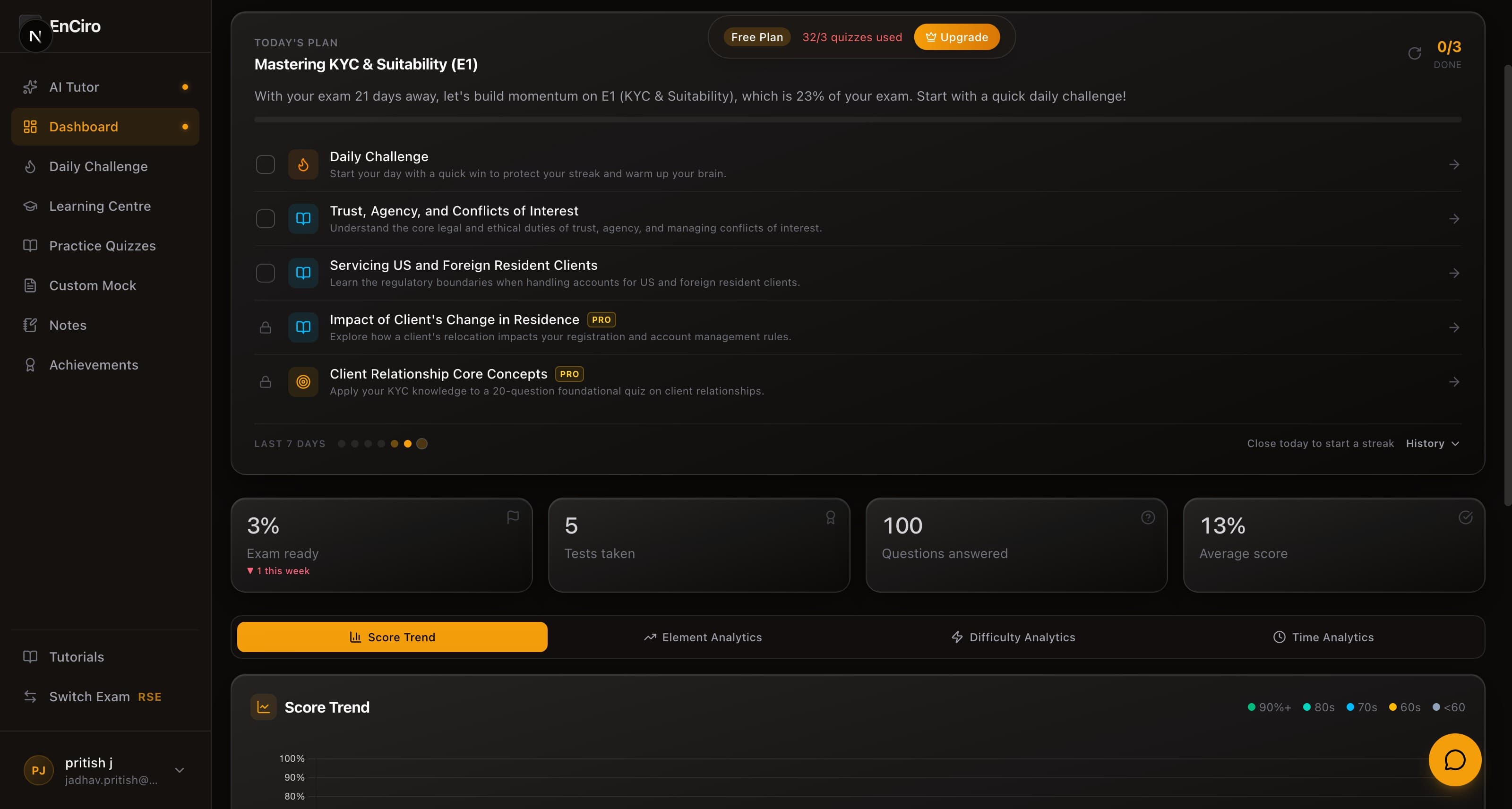
Today's Plan removes that decision entirely. Every day, an AI coach reads your actual performance data — every quiz you've taken, every concept you've read, how recently you touched each element, how many days until your exam — and builds you one finishable session for today. Not advice. Not "focus on your weak areas." A checklist with exact items:
- Daily challenge — first on the list every day it's not done: one question, two minutes, streak protected
- Read: Trust, Agency, and Conflicts of Interest — a specific concept, chosen because it's next in sequence in your highest-priority element
- Take: Client Relationship Core Concepts — a specific 20-question quiz you haven't attempted, on the element you just read
Built from your data, not a template
The plan isn't a fixed curriculum. The coach weighs every element of your syllabus by two things: how much of the exam it's worth and how weak you currently are in it. A 23%-weight element where your recent accuracy dipped will outrank a 5%-weight element you've already mastered — and the plan says so, in plain numbers:
"20 questions to reinforce your KYC knowledge and improve your recent 5% accuracy."
It also paces you against your exam date. Months out, you'll see more reading. Inside the final stretch, the plan flips to practice and mock exams — because ten days before the exam, new reading matters less than reps.
Set your exam date
The plan works without an exam date (it assumes a comfortable runway), but setting one changes everything: session sizing, the reading-to-practice ratio, and the final-stretch pivot all key off your real countdown. If you haven't set it, the plan doesn't just nudge — "Set your exam date" appears as the first item on your list until you do.
The part that feels like magic
Here's the thing most checklists get wrong: they make you do the bookkeeping. Today's Plan does its own.
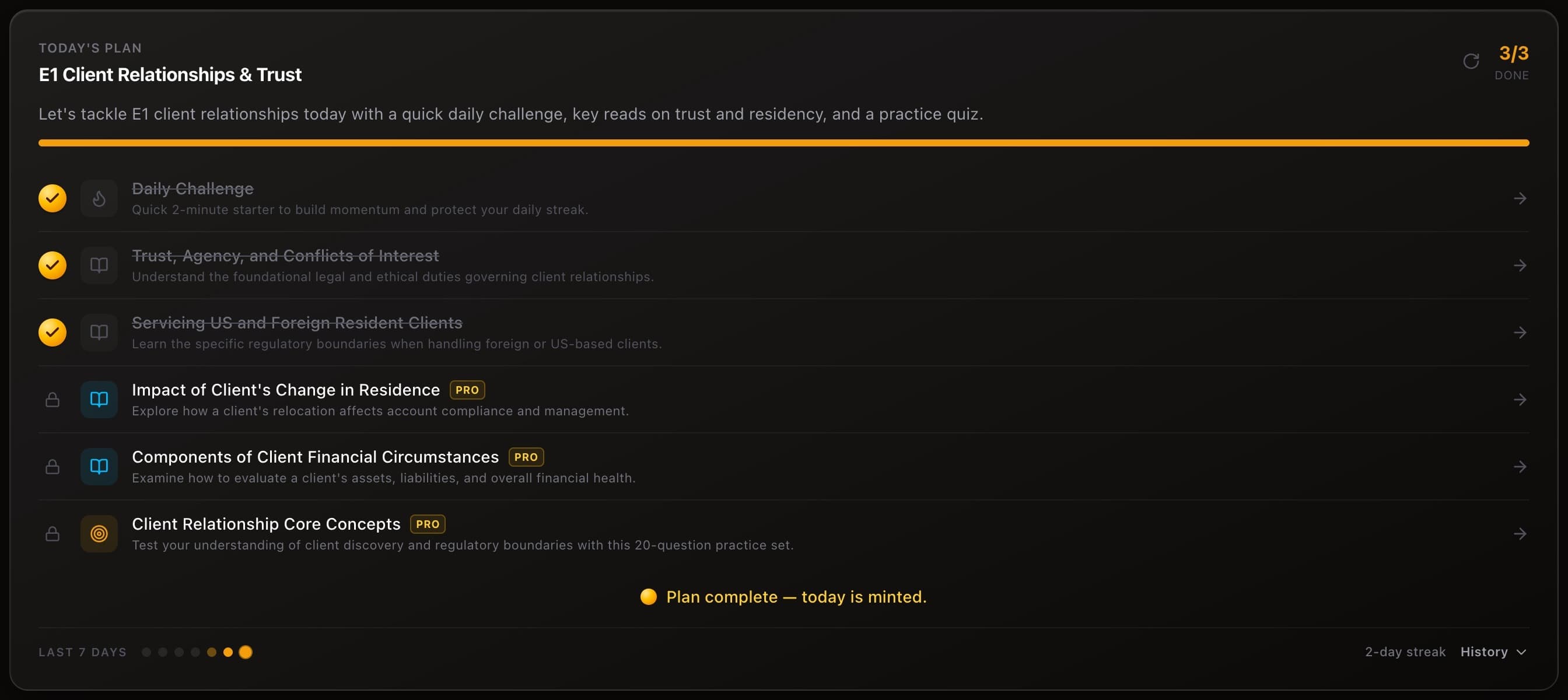
Complete a task anywhere in the app, and the plan checks it off by itself. Finish the assigned concept in the Learning Centre — the read item ticks. Submit the assigned quiz — the practice item ticks. Take the daily challenge from its own page — ticked. You never have to come back and tell the plan what you did. It noticed.

Items you complete turn into gold — and when the whole day is done, the plan is minted: your progress bar fills, the day locks into your history, and your streak grows.
Checked something by mistake?
You can tick or untick any item manually. If you untick something the plan auto-completed, it stays unticked — the plan won't re-check it unless you genuinely do the work again.
Your last 7 days, one glance
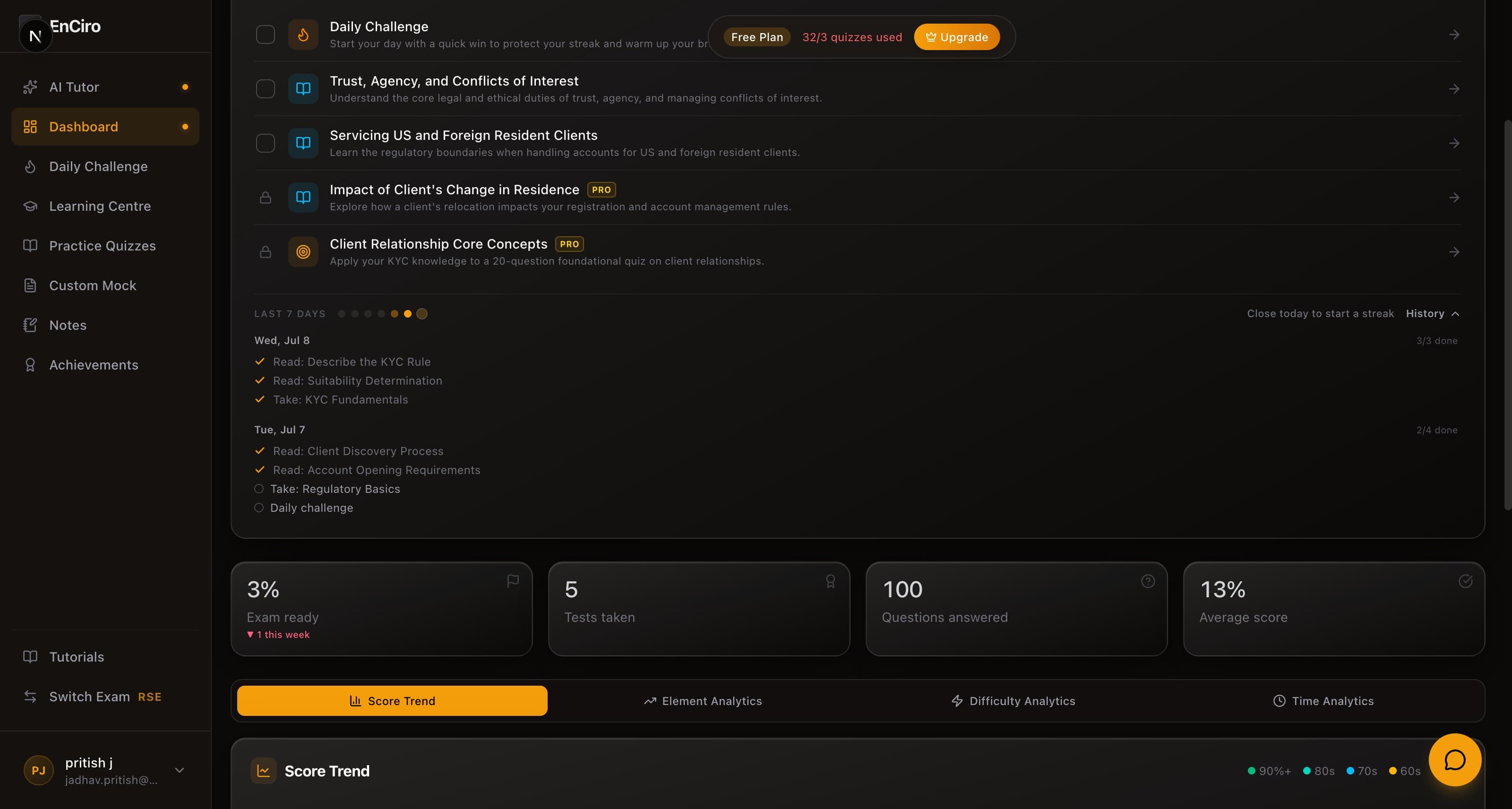
Under the plan sits a quiet row of seven dots — your week at a glance. A solid gold dot is a fully completed day. A faded one is a partial day. Today's dot fills live as you work.
Tap History and the row unfolds into the actual items from each of the last seven days — what was planned, what got done. It's a study journal you never had to write.
Don't like today's plan? Refresh it
The gold refresh button at the top of the card asks the coach to rework the day. Anything you've already completed is locked in and preserved — only the remaining items get replaced. You get five refreshes a day, and a failed refresh never costs you one.
This is also where the plan and the AI Tutor meet: ask the tutor "what should I do today?" and it reads your plan and walks you through it. If your plan hasn't generated yet, the tutor can build it for you right from the chat.
On the free plan?
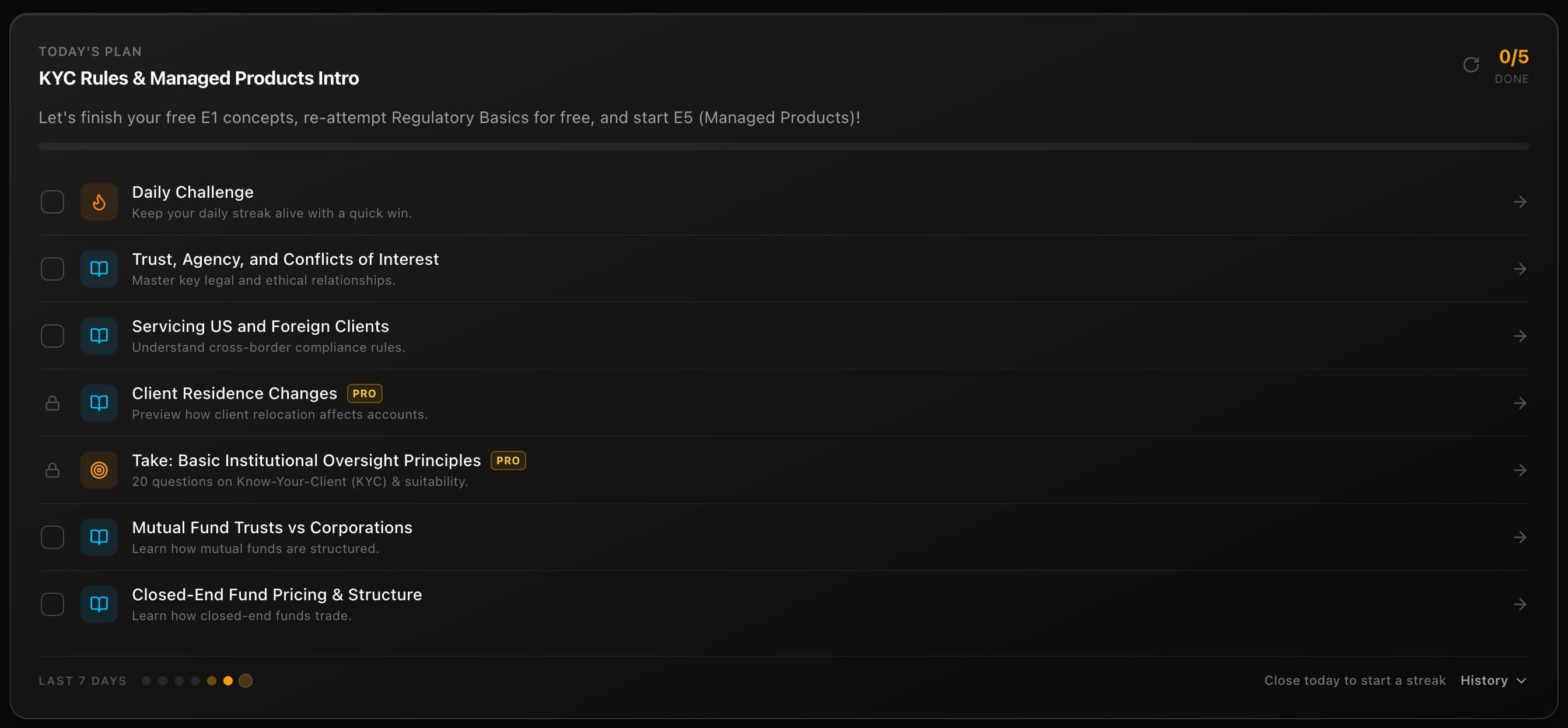
Your plan is built honestly for your tier. The core of every day — the daily challenge, your open reading, and score-beating re-attempts — is always completable for free, and completing that core is what mints your day and grows your streak. Alongside it, you'll see up to three items marked PRO: the genuinely-next steps in your prep, shown as a preview of what upgrading unlocks. They never block your day from counting.
The 2-minute rule
The daily challenge sits first on every plan for a reason: it's one question, it takes about two minutes, and it protects your streak even on the days life gets in the way. Start there. Momentum does the rest.
How to use it well
Open your dashboard once a day
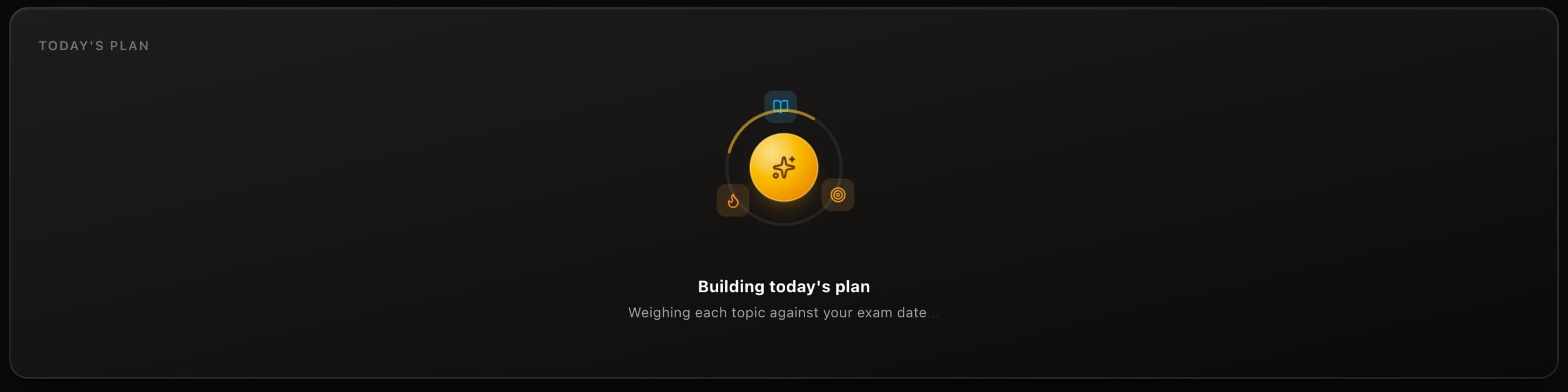
The plan generates on your first visit each day — you'll see it being built for a few seconds, then it's yours. One plan per day, frozen so your checklist doesn't shift under you.
Do the challenge first
Two minutes, streak protected, momentum started.
Work the list top to bottom
The reading is sequenced — each concept builds on the one before it, and the quiz that follows tests exactly what you read. Order matters more than it looks.
Let the plan do the bookkeeping
Don't tick items — do them. Watch them turn gold on their own when you come back.
Your dashboard used to show you data and leave the decision to you. Now it opens with the decision already made — and the only thing left to do is study.