
A notebook built into every lesson
Reading a lesson is the easy part. Remembering it three weeks later, on exam day, is where most studying quietly falls apart — you followed every line at the time, and now it's a blur.
Notes is how you keep what you read. It's a full rich-text notebook built into EnCiro, one click from every lesson. Write a concept in your own words, or have the AI tutor draft a clean summary you tweak — either way it's saved in a notebook tied to exactly what you were reading. No second app, no Google Doc you'll never open again.

Two kinds of notes
Every note is one of two kinds, and the only difference is what it's attached to.
Lesson notes belong to a specific concept. Open any lesson, hit Notes, and the notebook for that concept slides in beside it — read on the left, write on the right. Come back a month later and it's exactly where you left it.

Standalone notes belong to nothing in particular — a blank canvas for the things that cut across lessons: a running formula sheet, a list of your weak spots, an exam-day game plan. Start one from the Notes hub with the +.
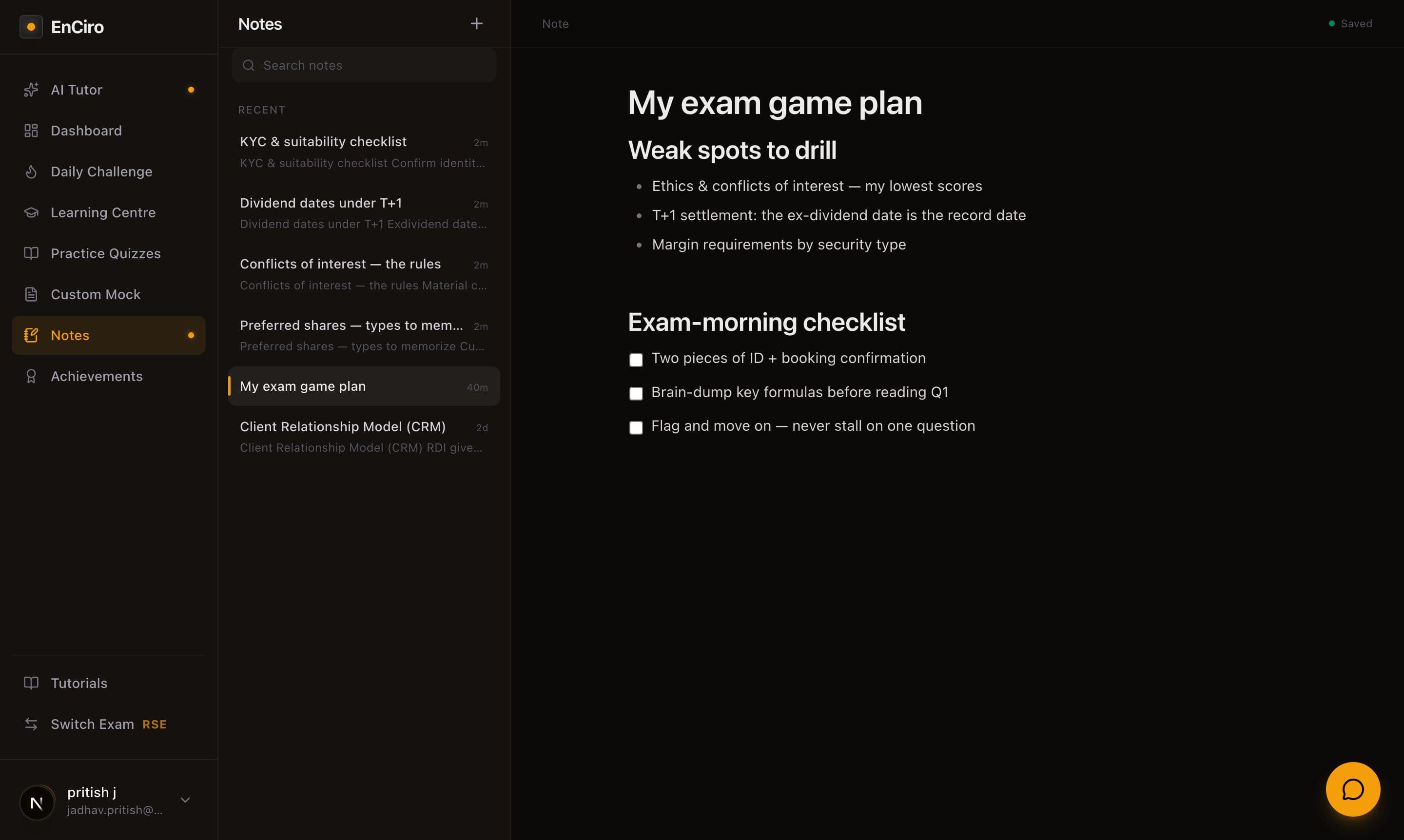
A note takes its name from its first line
Whatever you type on the first line becomes the note's title in the hub — so lead with a short heading like "Preferred share types" and it's instantly findable later. A note you haven't written in yet simply shows as "Untitled" until you do.
A real editor, not a text box
This isn't a plain text field — it's a proper writing surface, built for studying:
- Select any text and a formatting toolbar appears right above it — bold, italic, highlight, headings, lists, links. No menus to hunt through.
- Checklists for the things you want to tick off, like review steps or exam-day to-dos.
- Everything autosaves. You'll see "Saved" the moment you stop typing — nothing to lose, nothing to remember to do.
- Need a formula? Math typesets too (KaTeX), so yields and ratios render properly instead of sitting there as raw text.
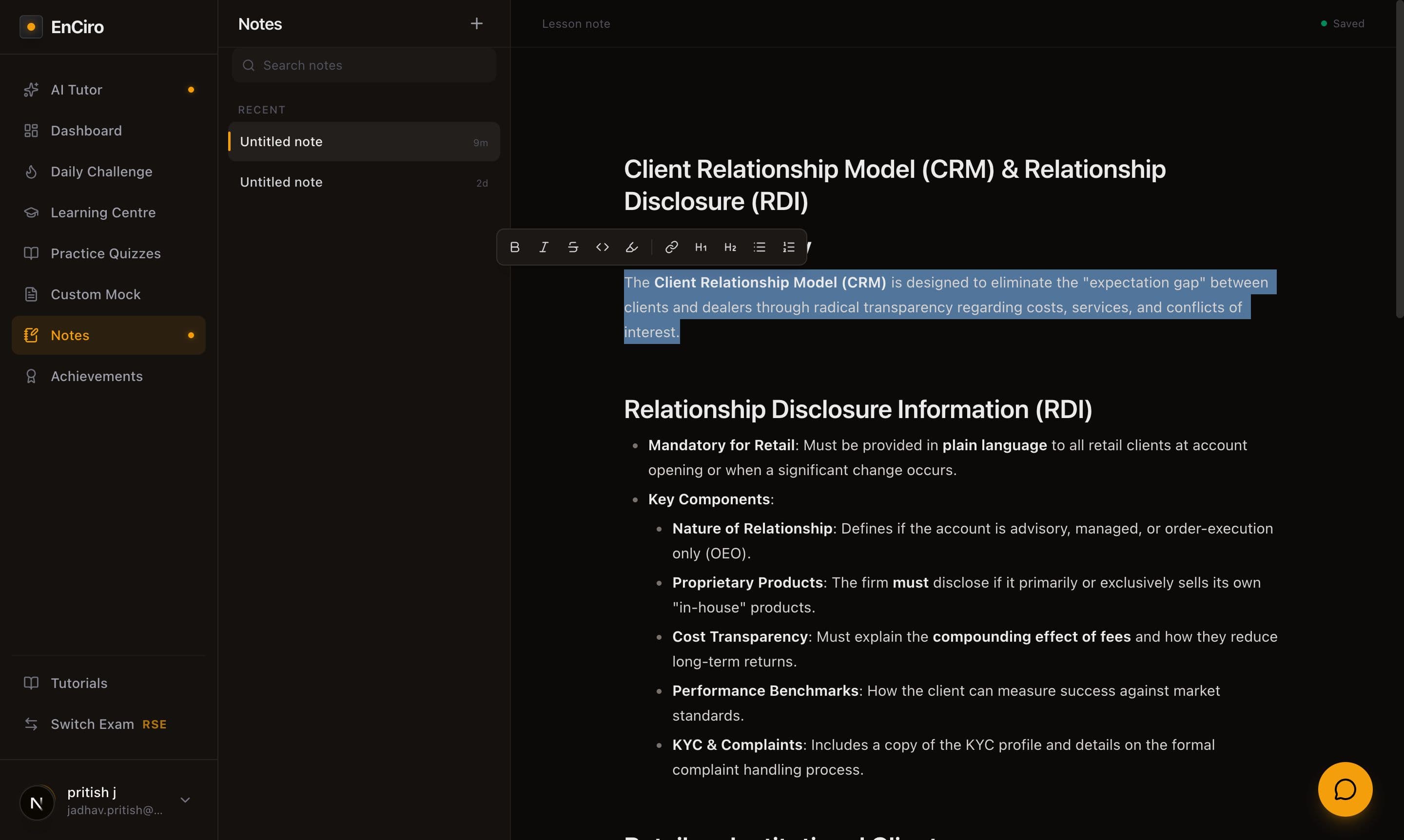
Type first, format second
Don't stop to format while ideas are flowing. Get the words down, then select a phrase and use the pop-up toolbar to bold the key term or turn a few lines into a list. Styling after the fact is faster — and keeps you thinking, not fiddling.
Everything in one place: the Notes hub
Click Notes in the sidebar and you land in the hub — every note you've written, lesson and standalone alike, newest first. One search box runs across all of them, titles and body text, so the half-remembered note on ex-dividend dates is a couple of keystrokes away.

Let the AI do the heavy lifting
You don't have to write every note yourself. While you're reading, the AI tutor can turn the lesson into clean, structured notes and drop them straight into that lesson's notebook — you just refine from there. It's the fastest way to get from "I read it" to "I have notes on it."
That's its own short walkthrough: AI-Powered Notes.
Your notes, on every device
Notes live in your account, not your browser — start one on your laptop, add to it from your phone on the train, and it's all there. Nothing is trapped on a single device.