
Let's get you in
You're here because you've decided to actually pass the CIRE exam instead of just thinking about it. Solid move.
Head to enciro.ca/signup and create an account with your email. You'll get a confirmation email — click the link, and you're official. The whole thing takes about 30 seconds, which is roughly 1/10,800th of the time you'd spend reading the CIRE textbook cover to cover.
No credit card needed
Every new account starts free — limited practice quizzes, the first 3 concepts per element in the Learning Centre, and a handful of AI tutor credits. No credit card required. We don't ask for one upfront because that's annoying and we know it.
Your dashboard
Once you've verified your email, head to enciro.ca/login and log in. You'll land on your dashboard — mission control for your entire CIRE prep.
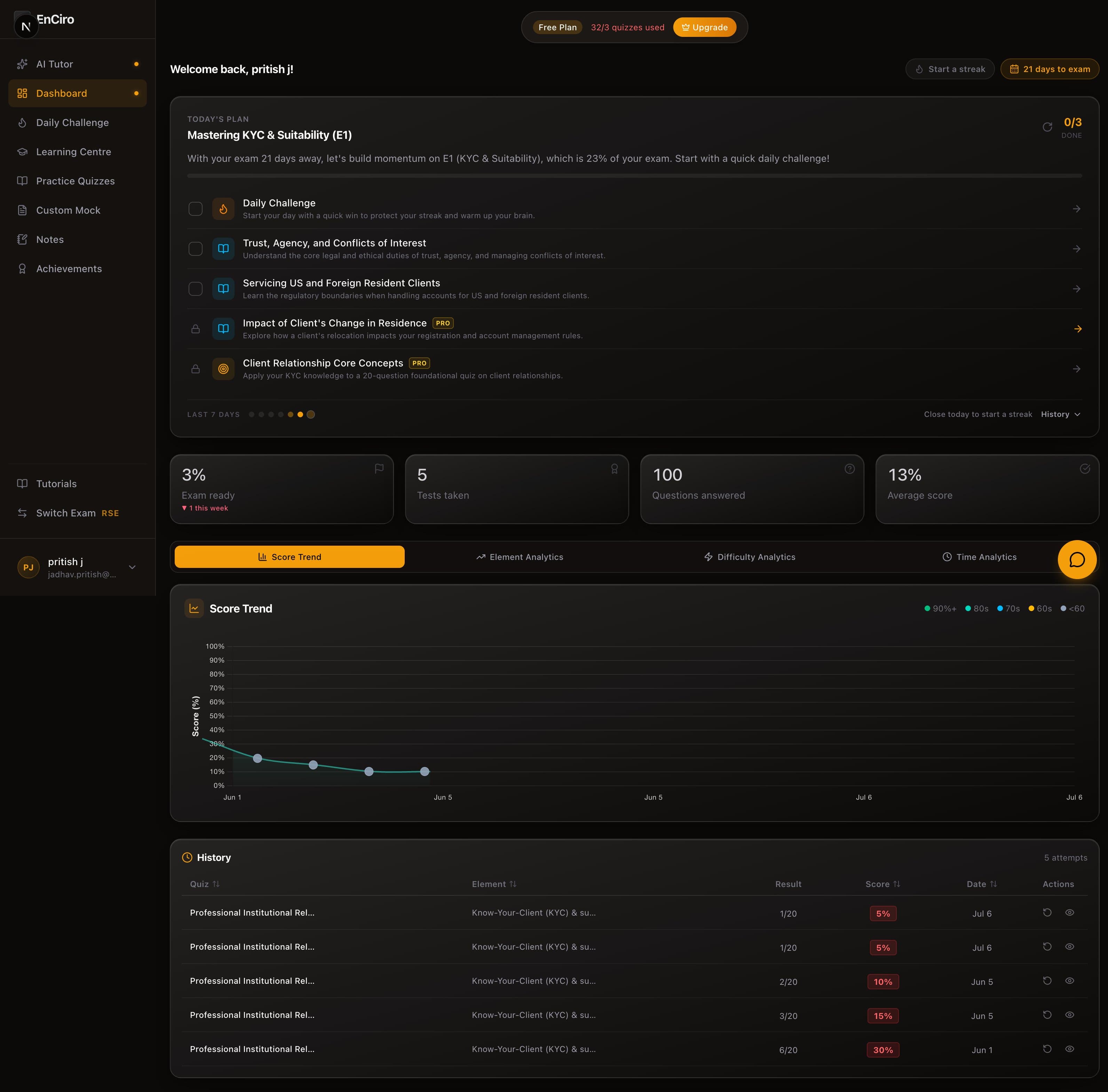
It's going to look empty right now — that's the point. Every quiz you take fills in your stats cards (tests taken, questions answered, average score), builds out your analytics (score trends, element breakdowns, difficulty and time analysis), and adds to your history so you can review any past attempt. The empty state is just the starting line.
The sidebar
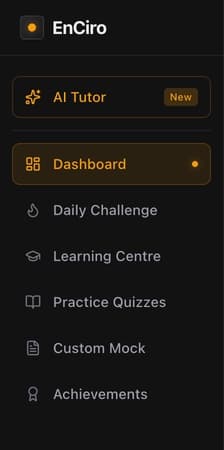
The sidebar is how you get everywhere:
- AI Tutor — your personal CIRE study assistant
- Daily Challenge — a fresh challenge every day to keep your streak alive
- Learning Centre — structured study content for every CIRE element
- Practice Quizzes — where you'll spend a lot of your time
- Custom Mock — build your own exams, your way
- Achievements — badges, milestones, and proof you've been putting in the work
The AI Tutor
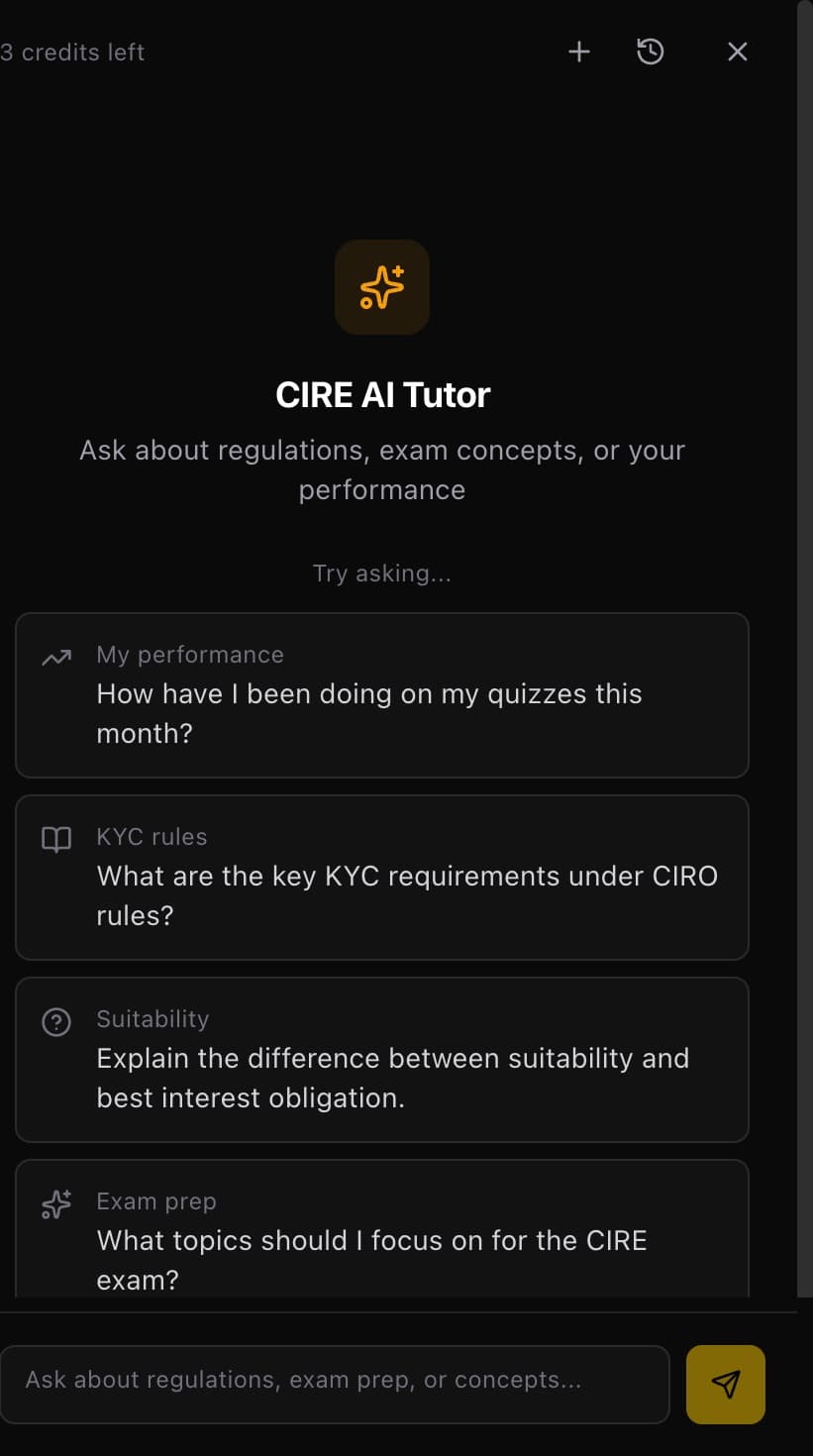
The CIRE AI Tutor lives on the right side of your dashboard. It's not a generic chatbot — it's trained on CIRE content and understands the exam inside out.
- Stuck on a concept? Ask it.
- Confused about a regulation? Ask it.
- Want to know why you keep getting KYC questions wrong? It can pull from your quiz history and tell you exactly where the gaps are.
- Free — 3 AI credits to try it out
- Learn — 50 credits
- Pro — 100 credits
What to do next
You've got an account. You've seen the dashboard. Now it's time to actually do something.
Head to the Learning Centre to start reading the CIRE material. It covers all 9 elements with structured content, pop quizzes, and flashcards built right in. Once you've got some concepts down, take your first practice quiz — and then your dashboard will have actual data: stats cards, a score trend dot, and your first history entry. That's when things start getting interesting.